Enterprise Design
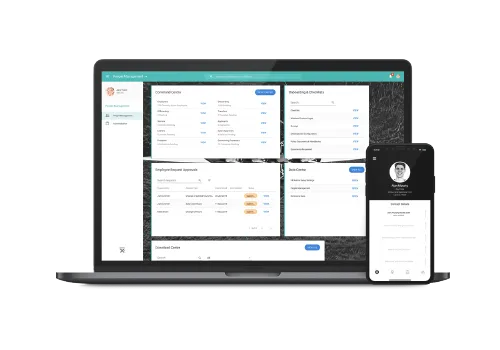
Product and UI redesign of the Access PeopleXD end-to-end HR solution with the aim of streamlining the front-end user experience.
Background
Access PeopleXD (formerly CoreHR) is an end-to-end HR solution with unified payroll for UK and Irish businesses.
The application was entirely redesigned in almost every way, from UI and UX through to architecture, with the aim of streamlining the experience.
The visual redesign was based on Google's Material Design language, as previously the application was not based on any shared system.
Access PeopleXD is a very large live application, and converting it was a huge undertaking that took several years.
My Role
- UI Designer & Prototyper - Acted as a visual UI designer to adapt Material Design to the needs of the application.
- UX Designer - Worked as a UX designer to conduct research, interview stakeholders, carry out user testing, and support other field research.
- Design Evangelist - Worked to bring product design into the arena of software development and act as a standards gatekeeper.
- Accessibility Engineer - Performed accessibility audits and continuous assessment of the production application.
Key Achievements
- Implemented a design process - This helped teams establish structure, with designers embedded into sprint teams.
- Improved usability and accessibility across the application - Very little usability or accessibility testing was done during development or design handoff. We established automated accessibility testing and communicated the value of accessible design across the application.
- Became more of a design evangelist - We worked to bring the language of design to the front of most product discussions. We developed a design language that helped the wider business. Consistency reduced pressure on support teams, improved stage appearance for sales teams, and raised quality across delivery.
- Design systems - We created, maintained, and implemented a design system for the entire application. Using atomic design principles, we brought consistency and speed to both design and development.
Design Process
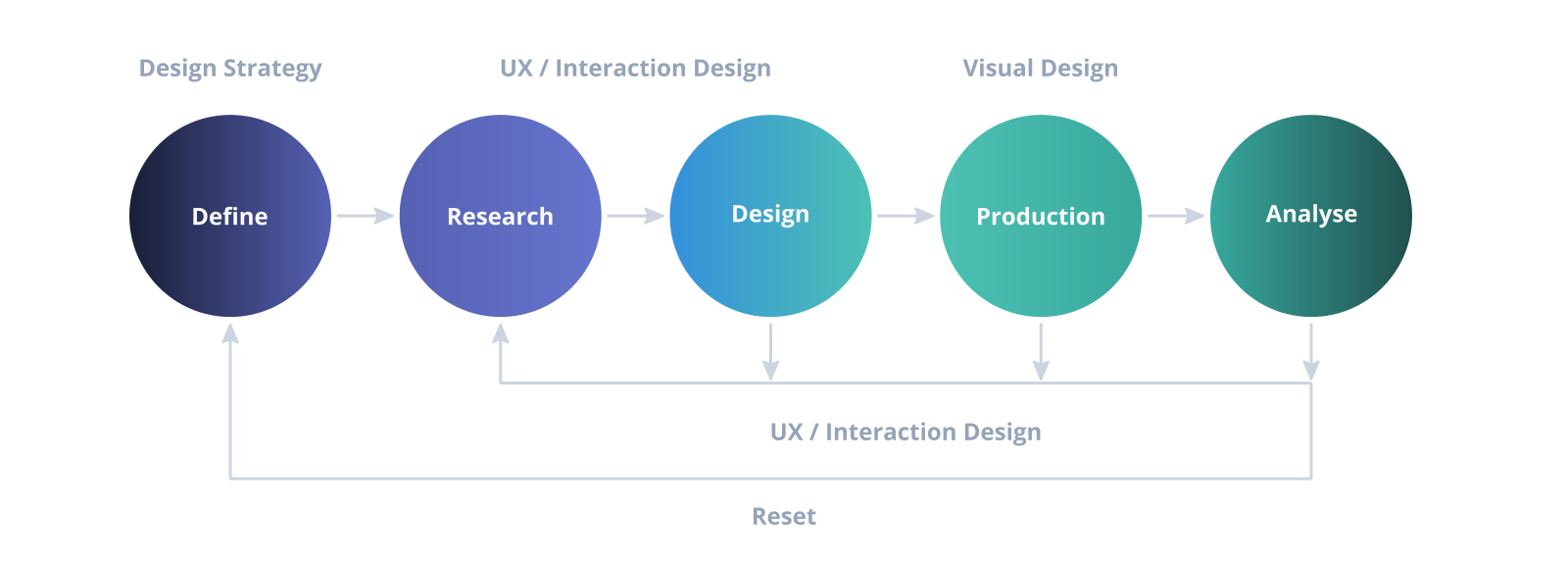
We went through many iterations of improvised design processes and came to a conclusion: there is no one-size-fits-all solution. We settled on a simplified version of the diagram below.
The product suite is large, and we had to change the wheels while the car was on the road, so to speak. We were also working with a large number of development and product teams.
Understanding Problems
Through detailed user research and direct conversations with users, we gained key insights that helped define each problem.
Recorded interviews with tools like Dovetail helped analyze what was said in the moment. We then categorized feedback to group similar points of view.
Sample Design Process
Research Techniques
- Recorded analysis - No matter how good your notes are, there is no substitute for listening back, hearing exactly what was said, and interpreting what was implied.
- Jobs To Be Done - A personal favourite of mine. It helps define the key accomplishments of a given task from the user's perspective.
- User and company personas - We created sets of user and company personas to keep the end user in mind across teams.
- Iteration - Many steps like wireframing and journey mapping are omitted here for brevity, but the main thing for me is to iterate. Speak to customers again and again if they are willing. We found this very useful for improving pNPS and overall experience.
- Accessibility - You might have to email me to ask how we handled accessibility. It is far too detailed to fit on this page.
Conclusions
This was a massive multi-year project which is currently in its second iteration and live with millions of users.
We monitor and gather in-app feedback on a rolling basis, and the overwhelming majority has been positive. It is not all positive, of course, but negative feedback is very useful for identifying problem spaces and future research targets.
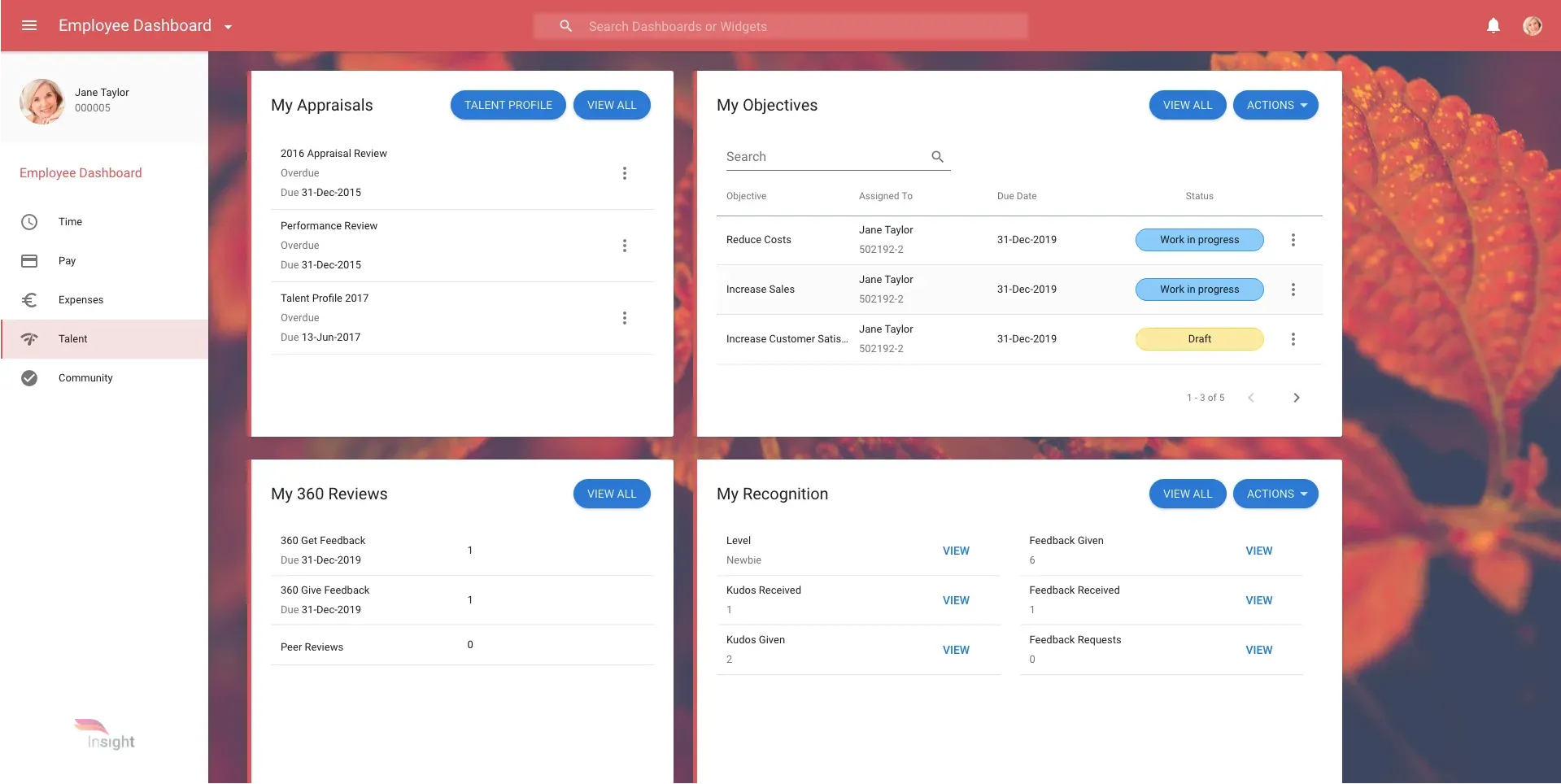
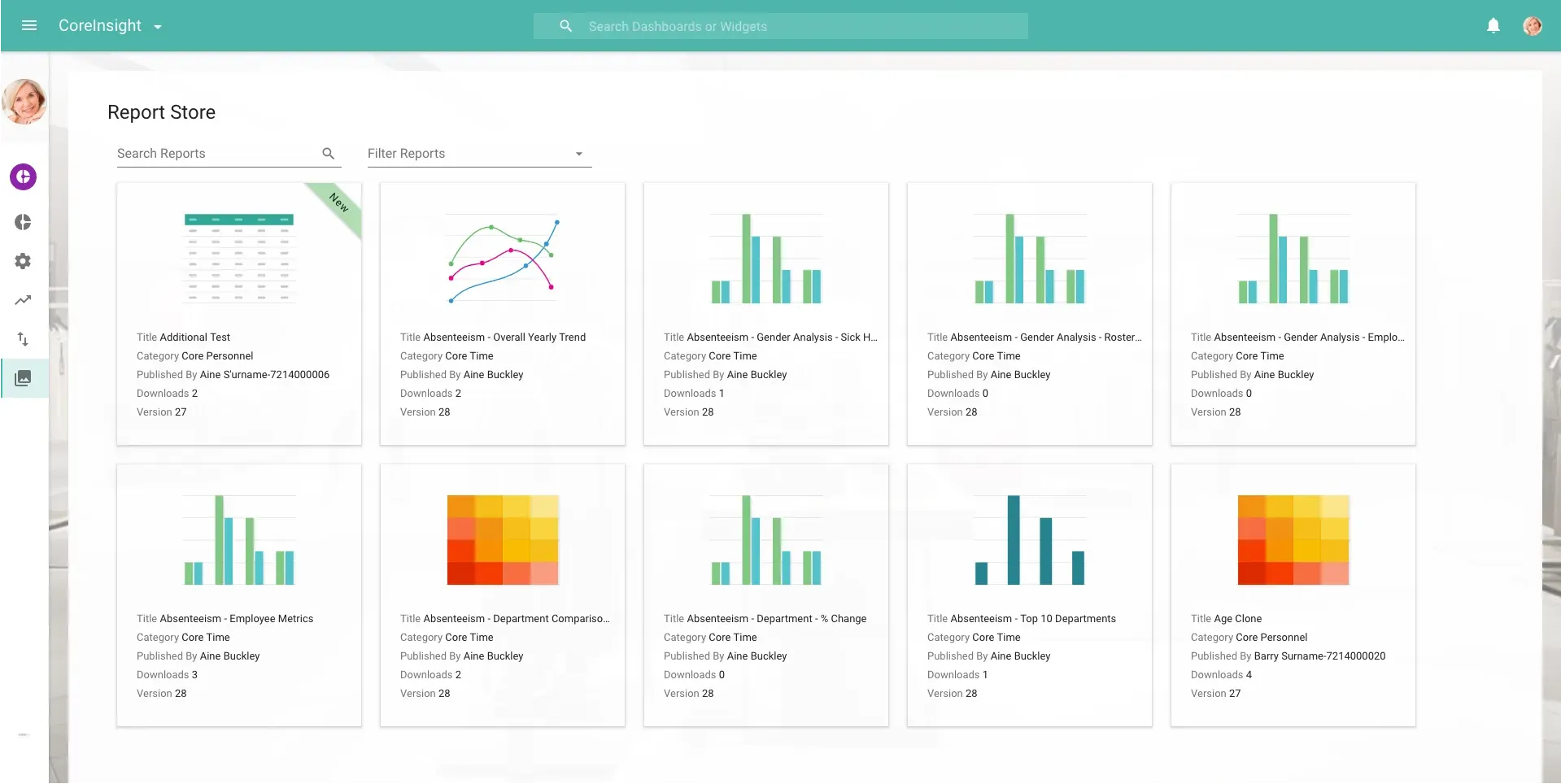
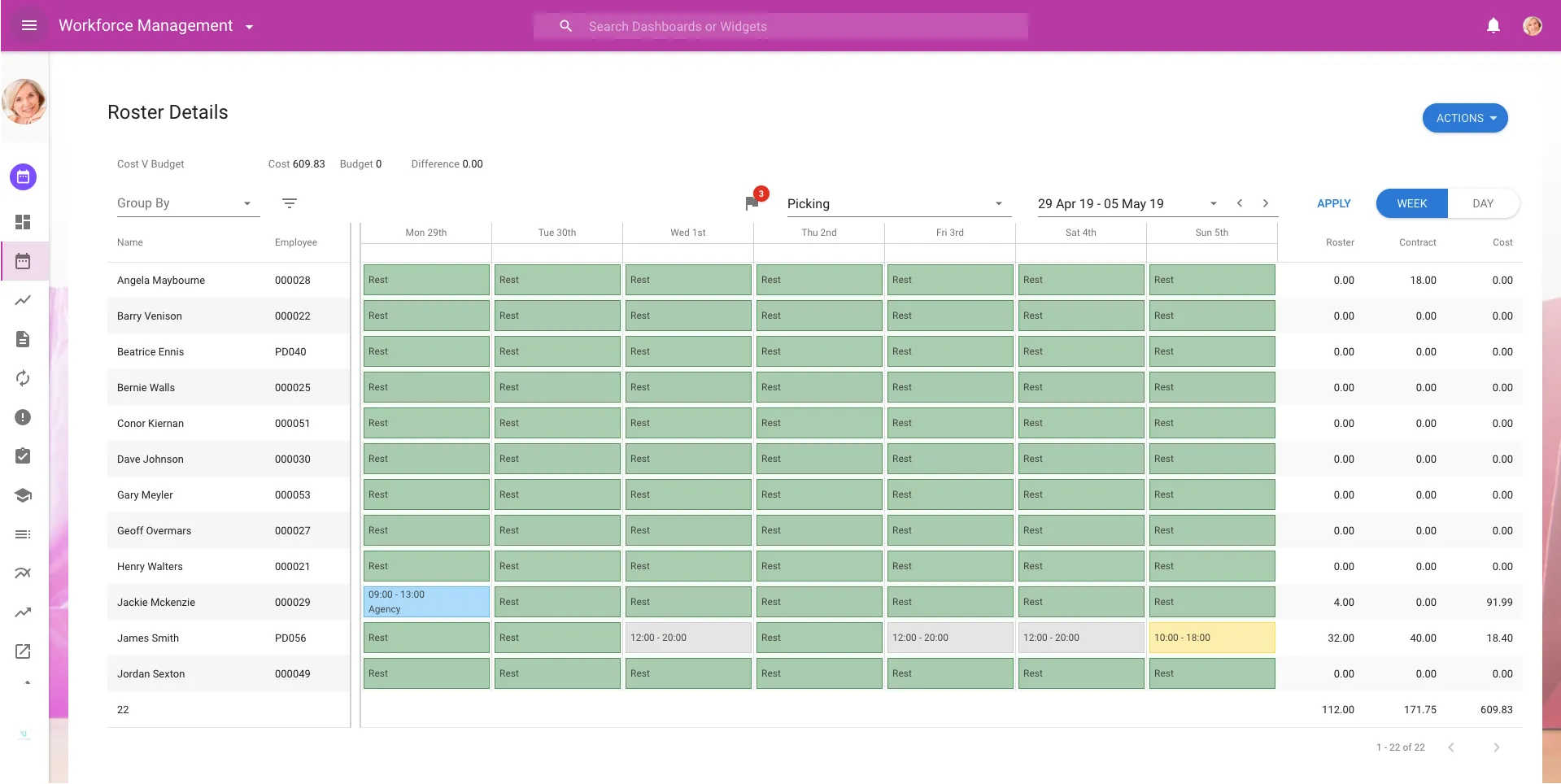
Some Concept Examples
Dashboards
Analytics
Workforce Management
Contact
If the brief is complex, that is usually where I do my best work.
Email is the cleanest way to start. The other channels are placeholders for now, but the section is ready for them when you are.